
The View Objects Pattern & automated tests with TestFX

#JavaFX

When developing an application you should add automated tests. Oh, sorry - I mean you MUST add automated test. So when developing a JavaFX application there will come the moment when you ask yourself "How should I test this UI? A normal JUnit tests won't work here..."
TestFX basics
That's right but the JavaFX community is prepared for this problem by offering TestFX. With TestFX you can create unit tests for JavaFX applications. Let's imagine you have an application that only contains a login dialog:
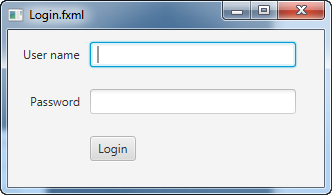
You can automatically test this dialog by using the TestFX API. I coded test might look like this:
click(".password-field").type("duke4ever");
click(".button:default");

assertNodeExists( ".dialog" );
As you can see you can control and fake all user events by using TestFX. At github you can find a general documentation of the API.
Dialog Objects Pattern
Mostly your application will contain more than a simple login dialog and in that case a test could become confusing:
click("#password-field").type("duke4ever");
click("#login-button");
click("#menu-button");
click("#action-35");
click("#tab-5");
click("#next");
click("#next");
click("#next");
click("#details");
assertNodeExists( "#user-picture" );
Web developers already know this problem and introduced a pattern to avoid it: PageObject
Since we don't have pages in JavaFX applications I would call it "View Objects Pattern" instead. By using this pattern you will define a class / object for each view in your application. Let's image we have a music application with the following workflow:
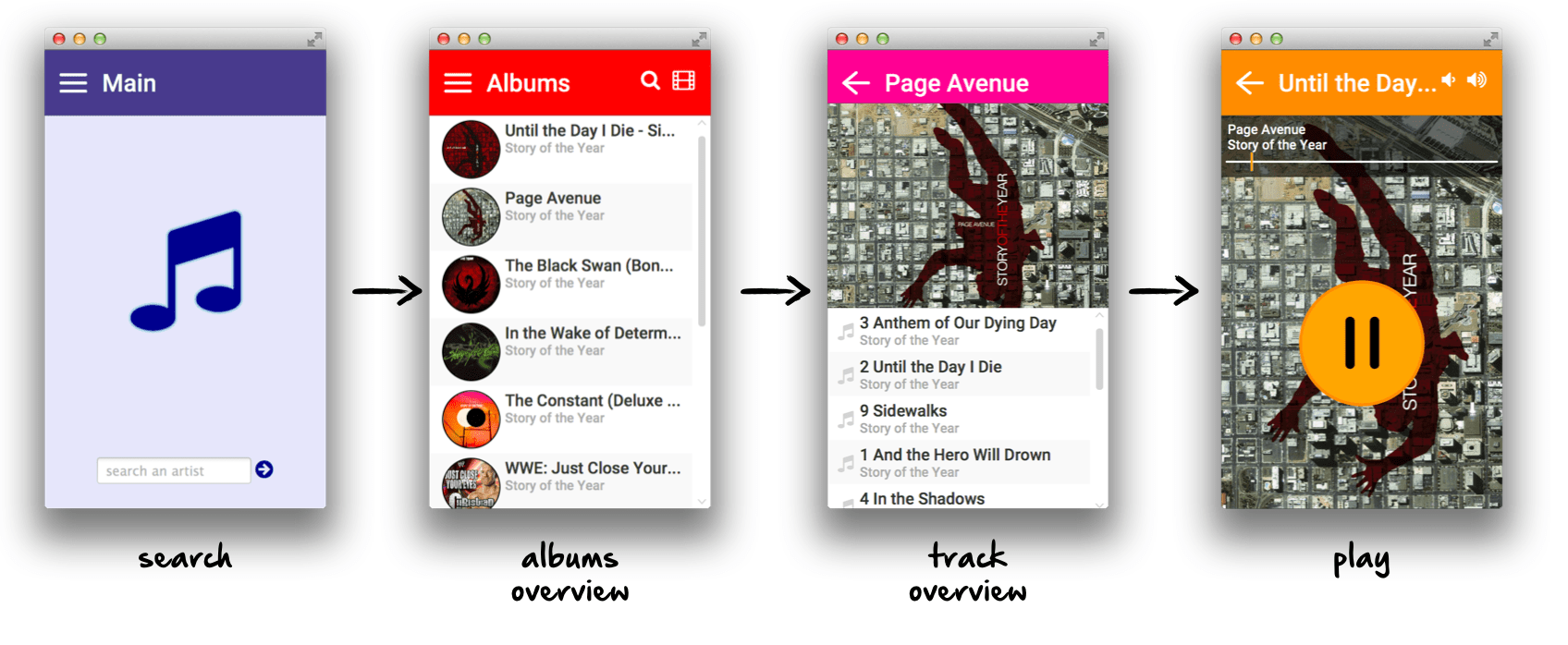
The applications contains 4 different views. To write tests for the application we should create a view object for each view. Here is an pseudo code example for the album overview:
    public AlbumDetailView openAlbum(String name) {
        click((Text t) -> t.getText().contains(name));
        return new AlbumDetailView(getTestHandler());
    }

    public AlbumOverviewView checkAlbumCount(int count) {
        assertEquals(count, getList().size());
        return this;
    }


    public AlbumOverviewView assertContainsAlbum(String name) {
        assertTrue(getAlbums().filtered(a -> a.getName().equals(name)).isEmpty());
        return this;
    }
}
You can see some important facts in the code:
- Each user interaction is defined as a method
- The class provides methods to check important states
- Each method returns the view object for the page that is visible after the method has been executed
- If the view won't change by calling a method the method will return
this
By doing so it is very easy to write understandable tests. Because all the methods will return a view object you can use it as a fluent API:
public void checkSearchResult() {
   new SearchView(this).search("Rise Against").assertContainsAlbum("The Black Market");
}

@Test
public void checkTrackCount() {
   new SearchView(this).search("Rise Against").openAlbum("The Black Market").checkTrackCountOfSelectedAlbum(12);
}

@Test
public void checkPlayWorkflow() {
   new SearchView(this).search("Rise Against").openAlbum("The Black Market").play(1);
}